Help
Help Downloads
 Tutorials
 Login
Login Contact Us
 Cart
Cart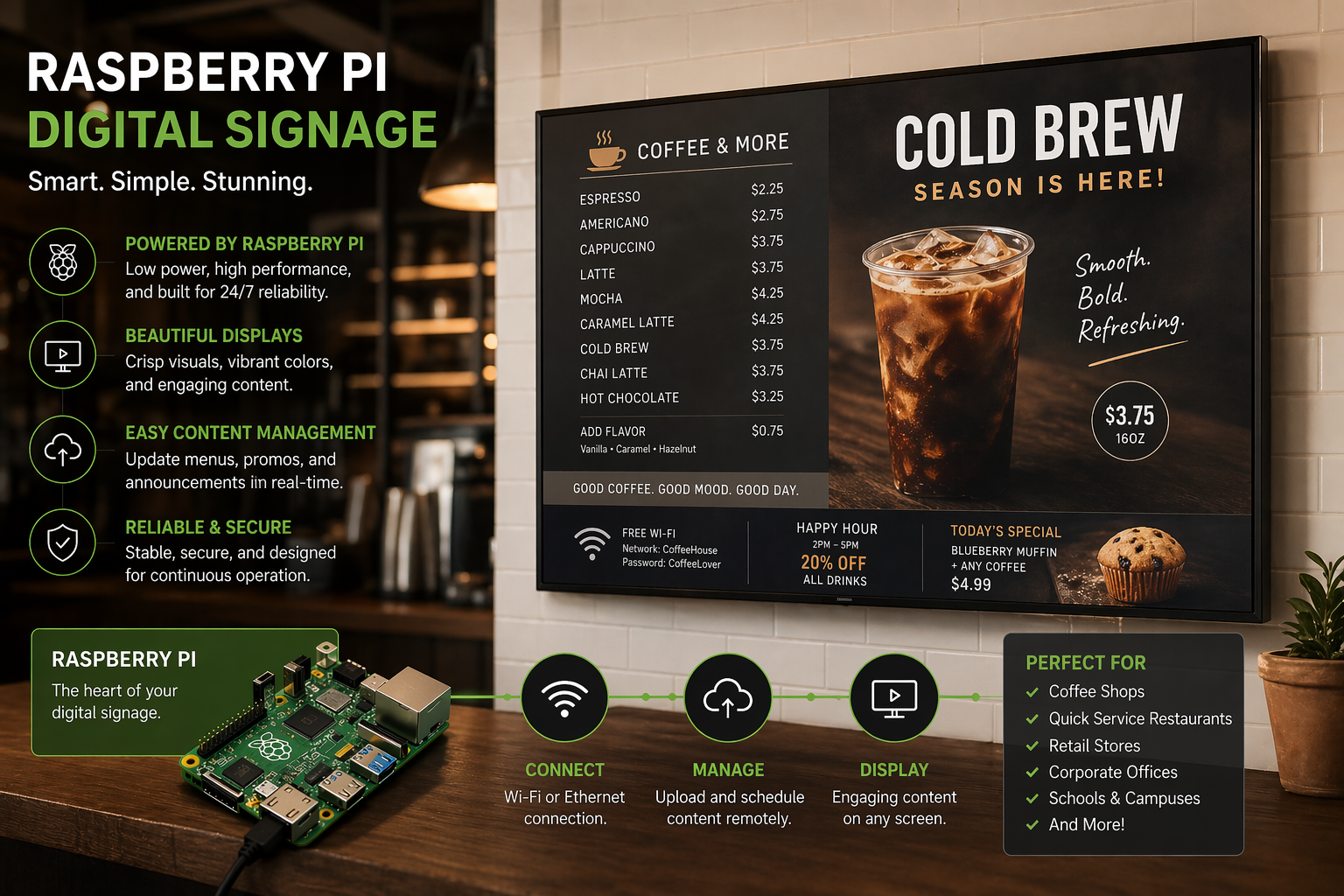
Explore related products
Discover more ways to power your digital signage network:
A single Raspberry Pi can play your content and control the lights, the TV power, the door sensor, the temperature gauge, the rotary knob, the emergency button, the multi-room speakers, the KNX backbone, the factory PLC… all configured visually from your browser. No extra hub. No cloud middleware. No code.
Start FREE → About the Pi player
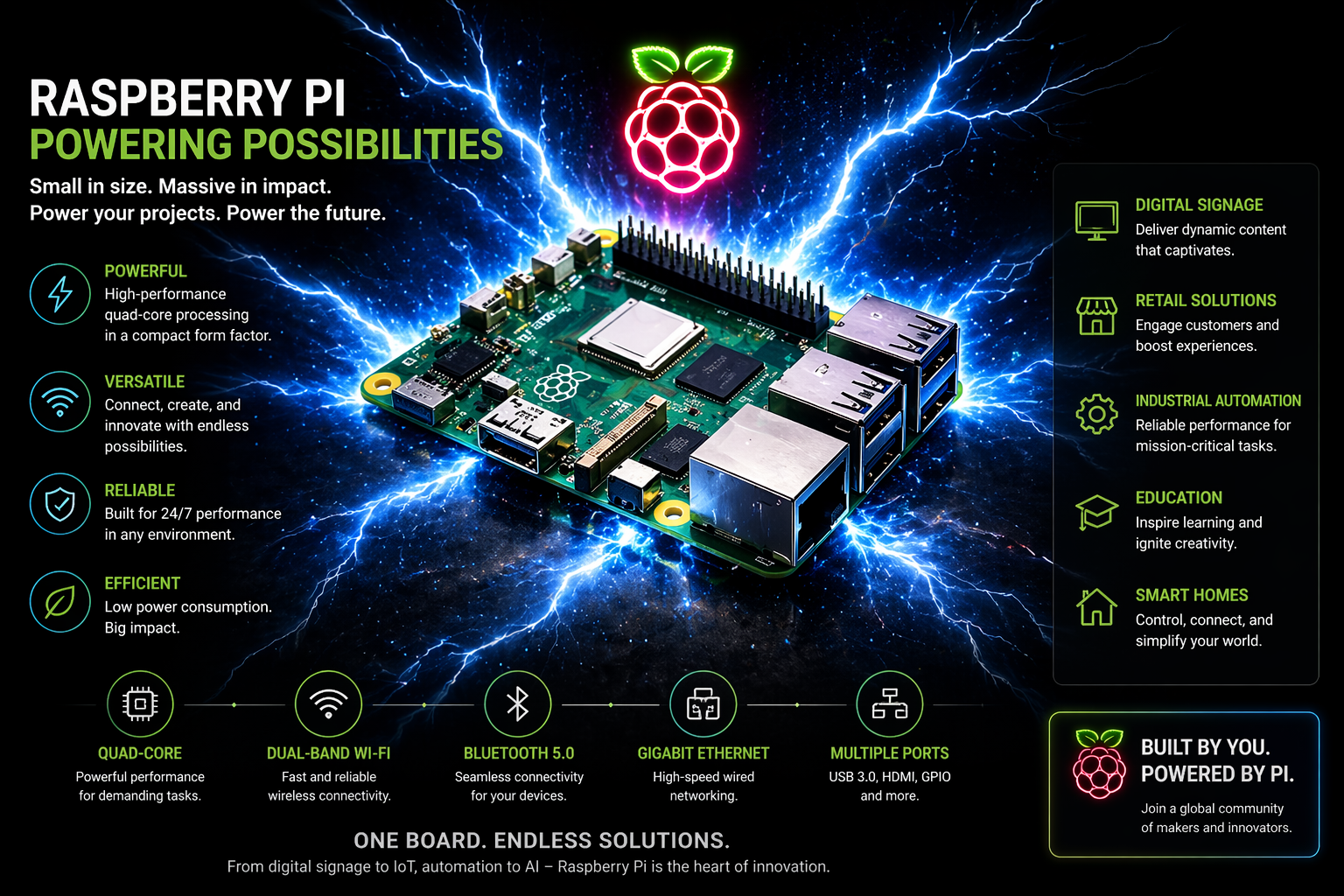
Every signage screen becomes the brain of the room. Sensors feed it data, your scene rules decide what happens, and it controls real devices in return.
Motion, temperature, humidity, light, contact, illuminance, smoke, water leak, button press, RFID badge, knob turn, BLE beacon, KNX presence detector, factory production counter — all stream into the player in real time.
Drag-and-drop scene events in SignStudio. Wire a button press to a scene change. A motion sensor to a video. A temperature reading to an animated gauge. A schedule to a TV power command. Zero code, zero scripting.
Switch a Zigbee bulb. Dim a KNX light. Power a TV on or off via HDMI-CEC. Pulse a relay through GPIO. Crank a HEOS speaker volume. Send a command to a factory PLC over RS-485. Forward an event to a third-party dashboard.
The same Raspberry Pi that plays your content also speaks every wireless and wired language your hardware uses — without any extra hub, dongle bundle, or middleware.
A single $30 Sonoff dongle plugged into the Pi handles your entire Zigbee mesh. Auto-discovers IKEA, Philips Hue, Aqara, Tuya, Sonoff. 2,000+ devices recognized.
Auto-finds your KNX gateway on the LAN. Lights, blinds, HVAC zones, dimmers, presence detectors, energy meters — the entire commercial-building backbone, one screen.
Built-in BT 5.0 on Pi 5. Scan, pair, read & write GATT characteristics, subscribe to notifications. Watch-mode auto-reconnects when devices come back in range.
Physically powers TVs off & on through the HDMI cable. Samsung Anynet+, LG SimpLink, Sony BRAVIA Sync, Hisense, TCL, Google TV, Android TV, Philips. Falls back to signal-toggle on dumb monitors.
Buttons, relays, LEDs, motors, opto-isolators, pumps, DHT11/DHT22 temperature/humidity sensors — soldered or jumped straight into the Pi's pins. Hardware PWM at up to 100 kHz.
Auto-discovers Denon & Marantz HEOS speakers on the LAN. Background music, ambient lobby sound, PA-style announcements triggered by scene events.
Talk to factory PLCs, projector controllers (PJLink), lab instruments, RFID/barcode readers, weight scales, thermal printers — anything with a serial protocol.
Voice assistants, building-management software, Home Assistant, Node-RED, custom mobile apps, IFTTT — subscribe to any sensor in real time over /iot/ws.
An incomplete tour of what you can plug into a single Pi running our signage. Auto-discovered, auto-named, auto-configured.
IKEA Tradfri, Philips Hue, Tuya, Aqara, Sonoff — on/off, dimming, color, color temperature.
Aqara P1, Tuya, Hue Motion, IKEA Vallhorn — auto-IAS-Zone enrollment, no manual setup.
DHT22, BME280, Aqara, Xiaomi LYWSD — live temperature, humidity, pressure feeds.
Aqara, Sonoff DW2, IKEA Parasoll — instant open/closed events into your scenes.
Aqara Opple, Tuya buttons, IKEA STYRBAR, TRÅDFRI — one-shot triggers anywhere.
Lutron, IKEA Symfonisk, custom encoders — continuous values for volume, brightness, setpoints.
Sonoff Mini, Aqara wall switches, KNX outputs, generic Zigbee relays.
Any Zigbee IAS-Zone safety sensor — instant emergency cutover on every screen.
Real CEC power off, real input switch on wake. Works on every major brand and falls back gracefully.
Denon, Marantz, HEOS-equipped — play, pause, volume, mute, multi-zone.
RC522 over SPI, USB readers — badge-in identification, inventory, access control.
Modbus, PJLink, custom binary — via RS-232 or RS-485 USB dongle.
Hardware PWM up to 100 kHz, four channels, smooth duty-cycle changes.
Watch-mode auto-reconnect — presence-aware content for staff & trusted devices.
Lights, blinds, HVAC, presence, energy meters — via any KNXnet/IP gateway already on the LAN.
Anything with a serial protocol or HTTP webhook plugs into the same event bus as the rest.
The same platform plays a 4K video and stops a production line, dims the lobby lights, scans a maintenance badge, and powers off forty TVs at midnight.
A Zigbee counter on the conveyor belt feeds live unit counts to the floor's wall display. Color flips green → amber → red as the shift falls behind quota. A KNX presence detector on the safety gate publishes an event to the Manager dashboard back at HQ.
A big red mushroom button wired to a Pi GPIO pin. One press fires eStop:true — every screen on every floor instantly switches to the evacuation map, an HEOS announcement plays through the building's speakers, the TV brightness ramps to maximum, the BMS gets a webhook.
Cobot status pulses over RS-485. The shop-floor screen shows a real-time digital twin: green for "running", amber for "low feedstock", red for "fault". An AI-generated technician guide pops up automatically on fault — with the part number pulled from the cobot's diagnostic frame.
A motion sensor at the entrance fires customerEntered:true. Ambient content fades to a personalized "Welcome — today's special: 20% off". Foot traffic counter ticks up. Outside business hours the same event wakes the TV from CEC standby.
The patient's wristband BLE beacon is detected at triage. Their queue position appears on the lobby board within 200 ms. A door-contact sensor on Exam Room 4 publishes examRoom4:occupied — the room status indicator flips red without anyone touching a button.
At sunset, a KNX presence sensor fires. Lobby lights ramp warm, a HEOS speaker plays softer ambient, the digital concierge screen switches from daytime promos to evening dining options. A rotary knob at reception lets the night clerk override the brightness directly.
A DHT22 in the prep area logs temperature every 30 s. If it crosses the safe threshold, the kitchen menu board flashes a warning + a webhook fires to the manager. At 23:00 every day, every TV in the venue powers off via CEC and the Pi itself shuts down — ~98% energy saved overnight, auto-wakes at 09:00.
A proximity sensor under the plinth detects an approaching visitor. The exhibit screen wakes from screensaver and starts an introduction video. A lingering visitor (pressure sensor) triggers the deeper "tell me more" content with audio guide cues over HEOS.
Every signage CMS draws content. Almost none of them turn the screen off. We do — two ways — with hardware-grade reliability.
The TV physically powers off via HDMI-CEC during off-hours; the player itself stays online so content reload is instant when the screen wakes. Works on every major brand — Samsung Anynet+, LG SimpLink, Sony BRAVIA Sync, Hisense, TCL, Google TV.
At off-time the player arms its on-board RTC alarm and powers completely down. CPU off, RAM off, storage off, screen off — only the RTC chip stays alive on a coin cell. At wake-time the alarm fires and the player boots itself. Content resumes in ~60 s.
/sys/class/rtc/rtc0/wakealarm).Drag the green start handle and amber end handle on a visual slider, or type the times directly in HH:MM fields — whichever feels faster. Per day independence: Mon–Fri 7am–10pm, Sat 9am–11pm, Sunday closed. Overnight schedules wrap automatically. 15-minute snap, 1-minute precision with Shift.
Daily auto-restart, MAC visibility, station start time, mid-day schedule re-arms — everything that keeps a fleet of hundreds of screens running without on-site visits.
Off / Soft / Hard. Soft kills just the Chromium PWA (~10 s recovery). Hard reboots the whole device (~60 s). Mid-day edits apply today.
Every station's MAC shown in Studio. IT can correlate to DHCP leases, switch ports, firewall rules — without ever logging into the device.
See when each player last came online. Spot misbehaving devices, verify deployments, audit fleet uptime — right in the device list.
CPU, RAM, disk, temperature, WiFi signal, network throughput, OS version — broadcast every 60 s. No SSH, no extra monitoring tools.
One click in Studio captures what any screen is currently showing. Works on Wayland, X11, GNOME, and Windows. Use it for sales walls, support, or QA.
SignService binary, IoT dependencies, Zigbee2MQTT, screen-capture tools — checked on every boot, upgraded silently. Install once, never visit again.
Optional safeguard: if RAM crosses a configured threshold, soft- or hard-restart automatically. Catches runaway leaks before they become an outage.
All paired devices, eventName mappings, schedules — persisted in the database. Reflash a player, plug it in — everything re-pushes itself in seconds.
You name a Zigbee bulb's on/off capability kitchenLight. Now any scene component, any other device, and any external system can read or fire that event — same name, same value, same flow.
button / sensor / KNX bus / RFID tap
{ eventName, value }
component bound to eventName
$ wscat -c wss://<player>:8090/iot/ws
> { "command": "registerEvent", "eventName": "lobbyMotion" }
< { "command": "eventDispatch", "eventName": "lobbyMotion", "value": "true", "timestamp": ... }
SignStudio is the source of truth for both your content and your hardware. No SSH, no log files, no config files, no on-site debugging for routine work.
Optimized for Raspberry Pi 5 with full feature support, but everything works on x86 mini-PCs and Linux SBCs too.
| Platform | Monitor sleep | BIOS shutdown | Daily reboot | Zigbee / BLE / KNX / GPIO | MAC + start time |
|---|---|---|---|---|---|
| Raspberry Pi 5 (Pi OS Bookworm/Trixie) | ✓ | ✓ (CR2032) | ✓ | ✓ all | ✓ |
| Raspberry Pi 4 (Pi OS) | ✓ | limited | ✓ | ✓ all | ✓ |
| Ubuntu / Debian (x86 mini-PC, SBC) | ✓ | ✓ (RTC) | ✓ | ✓ all | ✓ |
| Windows | ✓ (signal) | — | ✓ | ✓ (BLE, partial GPIO) | ✓ |
Most signage software treats the screen as a passive display. Ours treats it as the brain of the room. That changes everything.
No separate Zigbee hub, no extra KNX controller, no IR blaster, no industrial gateway. The signage player is the brain.
Studio is the single source of truth for content and hardware. Drag, drop, save. No SSH, no config files, no firmware flashing.
Network blips, dongle hot-unplugs, OS updates, mid-schedule edits, fast reboots that race the schedule — every failure mode is engineered for.
Every device, every event, every sensor reading flows up to Studio in real time. Every transition logged. No black boxes.
Adding a second IoT device, or a thousandth, is configuration — not engineering. The protocols and the hub are already there.
Stable WebSocket and HTTP APIs. Voice assistants, BMS, mobile apps, Home Assistant, Node-RED — all plug in cleanly with the same eventName model.
Mode-1 monitor sleep cuts screen power 60–90%. Mode-2 BIOS shutdown cuts the entire device's energy ~98%. Out of the box.
Existing KNX backbone, the TVs already on the wall, off-the-shelf Zigbee bulbs, legacy serial gear. No rip-and-replace.
Five steps. No configuration files. No firmware flashing. The most technical thing you'll do is plug in a USB dongle.
Boot Raspberry Pi OS, run sudo bash install.sh. The installer handles SignService, SignIot, Docker, all dependencies.
Plug a Sonoff ZBDongle-E (~$30) into a USB port. Auto-detected, auto-configured. Move it later — by-id path keeps working.
Pair the player with the install code shown on screen. Open Players › IoT and start pairing devices.
Drag the Bulb / Knob / Gauge / Indicator components onto a scene. Pick eventNames. Save. That's it.
Set on/off times under Power. Choose Monitor Sleep or BIOS Shutdown mode. The fleet runs unattended forever.
Free signage software. Free IoT platform. Real device control. Real power savings. Real ROI — from day one.
Discover more ways to power your digital signage network:
Checkout live examples of Digital Signage presentations. The SignPlayer can run everywhere, on Android, Windows, Mac, iPad and even inside your web browser
View MoreFind out why people call us “the world’s most popular digital signage platform”
View More Raspberry Pi player
 mediaCLOUD
 mediaHYBRID
 Interactive touch
 StudioDashboard